 Download
Can't find the answer you're looking for? Don't worry we're here to help!
Contact UsRelated Articles:
Tags:
We’d be really sad to see you go if you decide that Noted+ is not for you, but we understand that Noted+ isn’t the perfect solution for everyone. So if you ever want to cancel your subscription plan, here’s how to do it:
- iOS
- macOS
1. Go to Settings > Account > Manage Subscription
2. This opens the Subscriptions page in the App Store where you can cancel your subscription.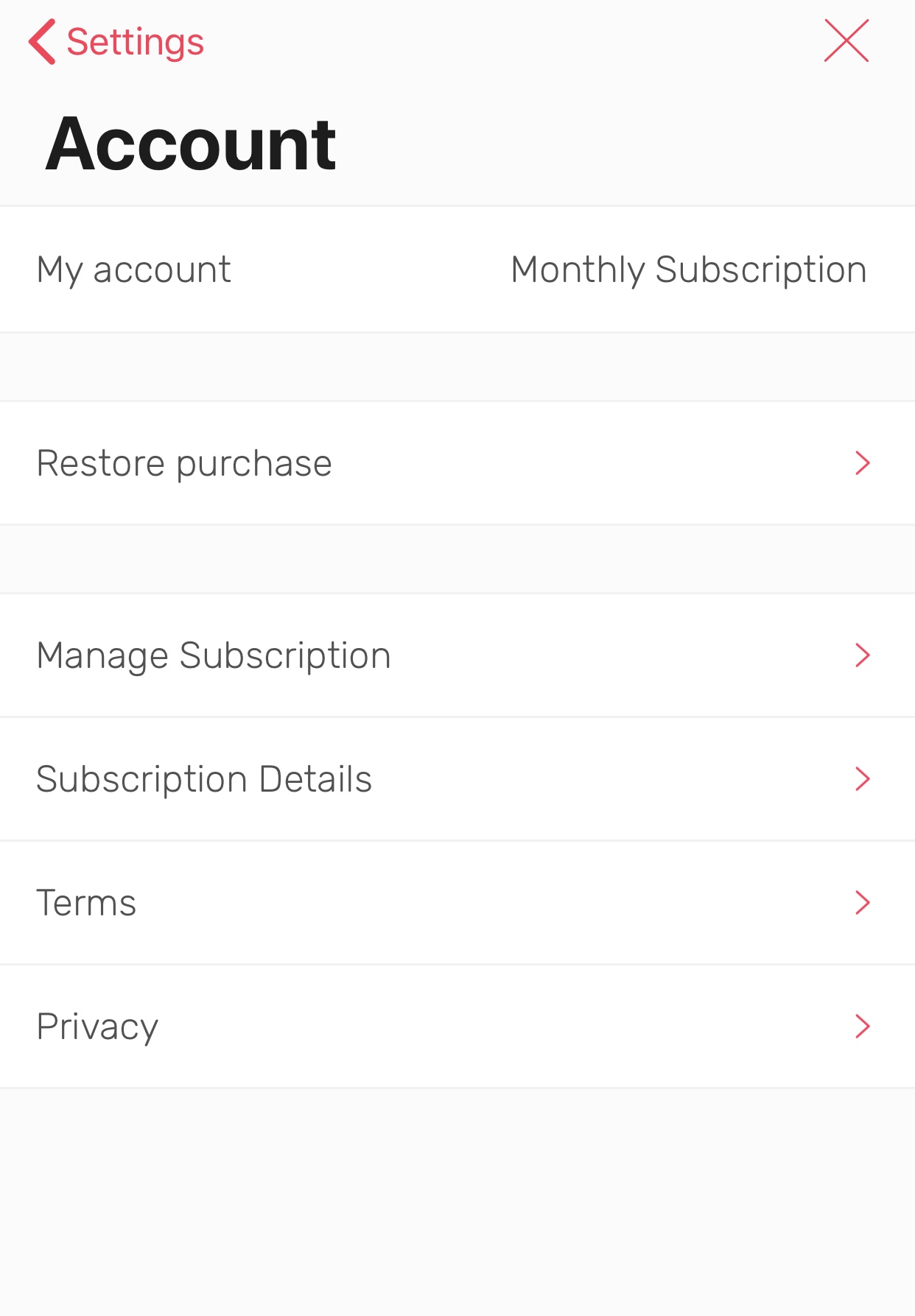
1. Go to Settings > Noted+ > click Manage subscription…
2. You will be directed to the Subscriptions page in the App Store where you can manage or cancel your subscription.
Can't find the answer you're looking for? Don't worry we're here to help!
Contact UsAfter cancelling: Your notes stay on your device in read-only mode, they’re not deleted.
Refunds: Refunds go through Apple, not Noted Support Team.
- Go to reportaproblem.apple.com
- Sign in, select “I’d like to,” choose Request a Refund, pick your reason, select Noted, and submit. Refunds are subject to Apple’s review and policy.